العربية
 Español
 Pусский
 lingua italiana
 Français
 Deutsch
 Portugues



Learn how to evaluate IES photometric files, simulate pole spacing, uniformity, glare and spill light, and compare outdoor LED luminaires before purchase.
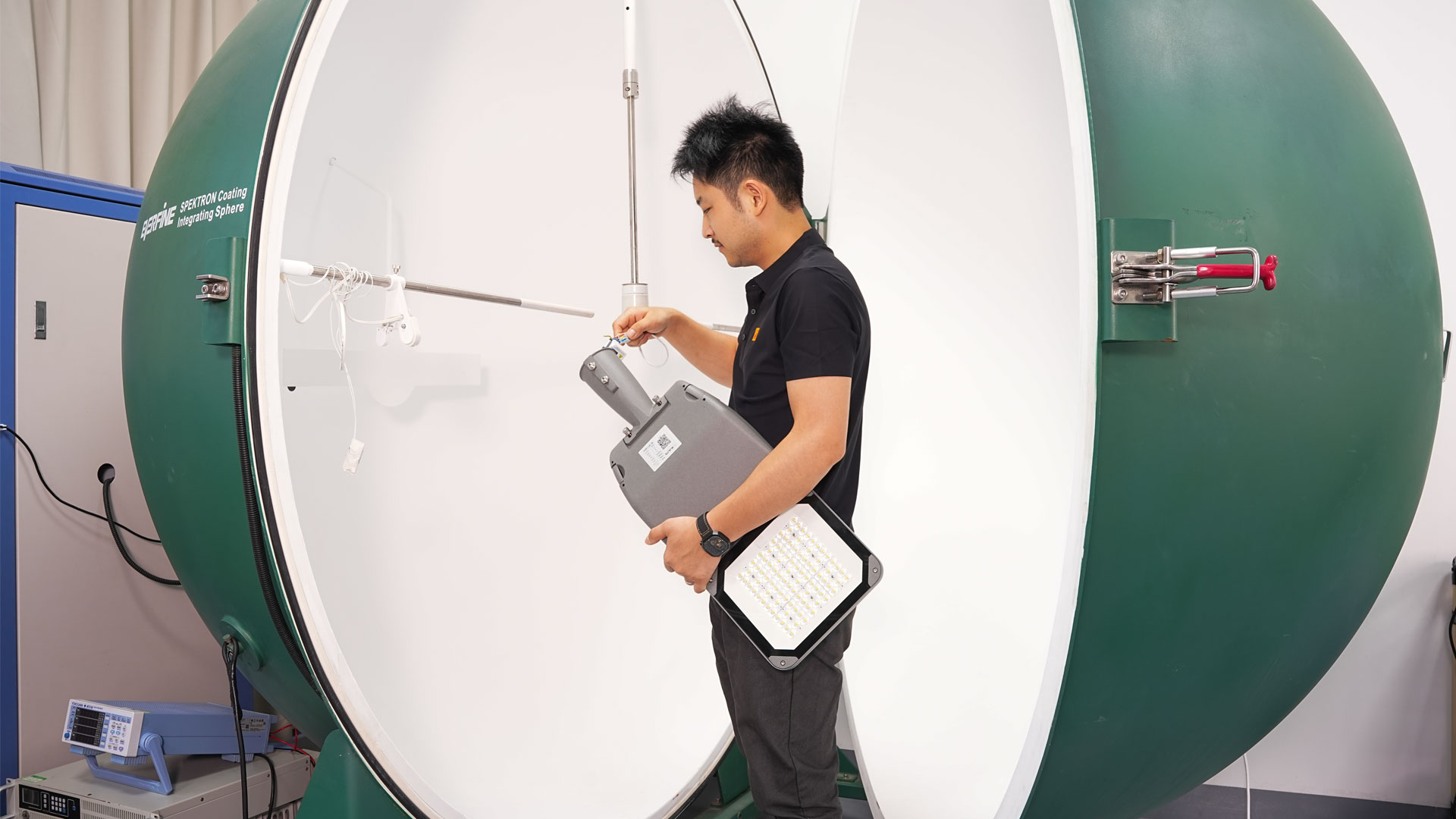
An IES file records how a specific luminaire sends light in different directions. Buyers use it in professional lighting software to test whether a proposed model, optic and layout can meet project targets for illumination, uniformity, glare and spill light. Total lumens alone cannot answer those questions.
Why a “high-lumen” luminaire can still be the wrong choice
Outdoor projects are built on geometry, not catalog brightness. A street light may have an impressive lumen package but distribute too much light behind the pole, create a bright hotspot below the luminaire, or fail to carry useful light to the far side of the road. A floodlight may produce enough total output yet require additional aiming points to control glare or perimeter spill.
The Illuminating Engineering Society distinguishes total luminous flux, measured in lumens, from luminous intensity in a given direction, measured in candela. The ANSI/IES LM-63 format is the standard electronic format used to transfer photometric data and related luminaire information.[1][2] In simple terms, lumens tell you how much visible light leaves the luminaire; the IES file describes where that light goes.
What an IES file proves—and what it does not
An IES file is a structured, machine-readable record of a luminaire’s measured luminous-intensity distribution. Depending on the file and test documentation, it can also identify the manufacturer, catalog number, test report, issue date, luminous dimensions, input power and related metadata.[1][2] Software converts the angle-by-angle candela values into a model of the light pattern.
However, an IES file is not a certificate that every project will perform identically. Results depend on site geometry, mounting height, pole setback, spacing, tilt, orientation, surface reflectance, maintenance assumptions and the exact project criteria. The file must also match the offered product configuration. A photometric file for another wattage, optic, LED package or drive-current setting is not a defensible substitute.
Evidence buyers should request before approving a luminaire
| Evidence item | What it shows | Buyer verification | Decision supported |
|---|---|---|---|
| Datasheet | Rated wattage, lumens, efficacy and options | Match the exact model code and ordered configuration | Commercial comparison |
| IES photometric file | Directional intensity distribution and file metadata | Match model, wattage, optic and test identity | Lighting calculation |
| Simulation report | Calculated levels for the actual geometry and layout | Review inputs, grids, criteria and maintenance factor | Project compliance review |
| Product specification / installation guide | Construction, mounting and permitted adjustments | Confirm the simulated tilt and mounting method are buildable | Installation feasibility |
| Independent test evidence where required | Third-party measurement or program evidence | Check laboratory and report scope against tender rules | Risk and compliance control |
Table 1. Procurement evidence hierarchy. Sources: IES LM-63, ANSI overview, FHWA guidance and DIALux documentation.[1][2][3][5]
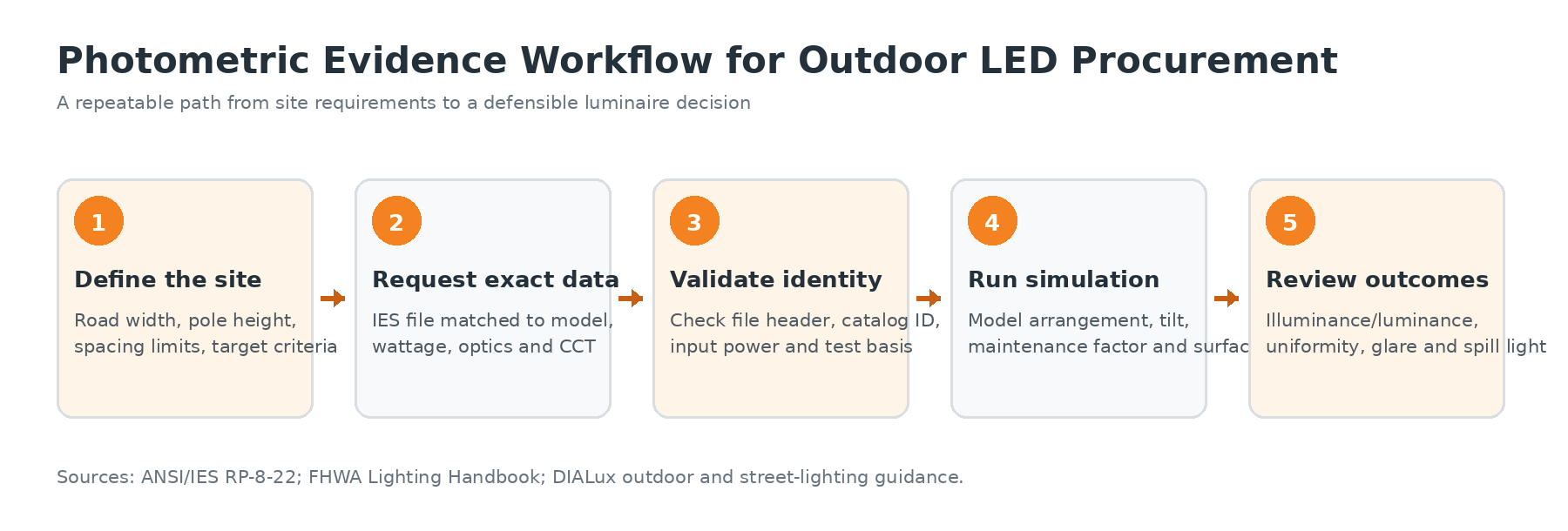
A five-step photometric workflow for B2B outdoor lighting
Define the application before choosing the fixture
Give the supplier the actual road or site geometry: road width, lanes, sidewalks, pole locations, mounting height, setback, available bracket length, spacing constraints and any nearby windows or boundaries. State the governing standard or client criteria rather than asking only for “bright enough” lighting. DIALux’s road workflow, for example, treats road profile, lighting class, arrangement, pole distance, mounting height and tilt as design variables.[4]
Request the exact photometric package
Ask for the IES file, datasheet, product specification and installation guide for the exact offered configuration. ANSI/IES RP-8-22 explicitly begins its optimization process by obtaining IES-format photometric files from lighting suppliers.[4] Include file delivery in the RFQ so photometric review happens before purchase, not after the luminaires reach the site.
Validate file identity before simulation
Check that the file’s catalog identifier, input wattage and optical designation agree with the quotation. Record the file name and revision used in the calculation report. Where the tender requires independent testing, ask for the corresponding test report and verify that its scope covers the proposed configuration. The simulated light engine should be the one that will be manufactured and delivered.
Simulate the real layout, then compare alternatives
Use professional software to place luminaires, set mounting height and tilt, define calculation surfaces and apply an appropriate maintenance factor. DIALux can generate isolines, value charts, false-color views and result tables; its outdoor workflow also calculates illuminance, uniformity, glare and selected stray-light metrics.[5] Compare alternatives against the same geometry and assumptions.
Review outcomes—not just the average
An acceptable average illuminance can hide dark zones and excessive hotspots. Review minimum values, uniformity, glare, spill light and upward light, as applicable. Also examine pole count, circuit load, aiming complexity and maintenance access. The best-value luminaire is the option that meets the complete project brief with a practical layout—not automatically the product with the highest efficacy or lowest unit price.
How Alitecn can support a photometric-first procurement process
Alitecn’s outdoor-lighting portfolio includes project LED street lights, LED flood lights, stadium lights, garden lights, solar lights and high-bay products. The website’s download center separates product specifications, installation guides and photometric archives, while the product catalog includes multiple street-light wattages, efficacy tiers, driver options and warranty selections.[6][7] This structure is useful because professional buyers need configuration-specific documents, not a single generic brochure.
For example, Alitecn presents the ASL23 street-light series at up to 210 lm/W and the modular ASL84 at 170 lm/W with IP65 and IK08 protection.[6] Those published figures are useful for shortlisting, but final project approval should still be based on the exact offered model, optic and photometric calculation. Buyers should ask Alitecn to confirm the model code, wattage, optical distribution, CCT, driver/control configuration, surge option, mounting method and matching IES file in one submittal package.
Alitecn describes its organization as having an R&D team, patented-product development, product training and site-visit support, plus inspection steps from production through export.[6] For a project buyer, the practical next step is to turn those capabilities into documented deliverables: a matched photometric file, calculation report, configuration schedule and drawing set that can be reviewed by the consultant or end client before mass production.
RFQ checklist for contractors, distributors and project buyers
- Exact luminaire model, wattage, optic, CCT and control configuration
- Matching IES file and identifiable photometric test reference
- Site drawing or geometry, pole height, spacing, setback and bracket details
- Applicable lighting criteria and calculation surfaces
- Simulation report showing inputs, layout, illuminance or luminance, uniformity, glare and spill-light checks
- Product specification, installation guide and approved configuration schedule
- Document revision control so samples, calculations and production units remain aligned
Frequently asked questions
Can two LED street lights with the same wattage use the same pole spacing?
No. Their optical distributions and useful light on the target area may differ substantially. FHWA reports that similar-wattage products produced very different optimized spacings in common calculation models.[3] Recalculate spacing with each exact IES file.
Is an IES file the same as a photometric report?
Not exactly. The IES file is a standardized electronic data file used by design software. A photometric report presents measured results and test context in a human-readable form. Buyers often need both for traceability.
Can an IES file guarantee onsite lux levels?
No. It supports a calculation based on defined assumptions. Installation tolerances, actual voltage, aiming, surfaces, dirt, aging and site obstructions can affect field results. Use commissioning measurements when the contract requires onsite verification.
What should be sent to Alitecn for a lighting calculation?
Send a scaled drawing or site dimensions, pole locations and heights, mounting and aiming constraints, surface or road details, project criteria, operating schedule and control requirements. The clearer the input brief, the more useful the comparison will be.
Conclusion
Lumens and watts remain useful screening metrics, but they do not describe whether light reaches the right place. An exact IES file, a controlled simulation and a traceable submittal package convert a product comparison into an engineering decision. For B2B outdoor projects, that process can reduce redesign risk, clarify supplier accountability and help the buyer compare total installed value rather than headline specifications alone.
References
- Illuminating Engineering Society, “The IES Lighting Library Standards Collection” (ANSI/IES LM-63-19 listing).
- ANSI Blog, “IES Standard File Format for Photometric Data, IES LM-63-19.”
- Federal Highway Administration, 2023 FHWA Lighting Handbook, luminaire selection and photometric-comparison discussion.
- Illuminating Engineering Society, ANSI/IES RP-8-22, Recommended Practice: Lighting Roadway and Parking Facilities.
- DIAL GmbH, “Outdoor Lighting with DIALux evo” and “Street Lighting with DIALux evo.”
- Zhejiang Alite Lighting Co., Ltd., official homepage and current product/company information.
- Zhejiang Alite Lighting Co., Ltd., “LED Lighting Downloads | Catalogues Technical Data & Guides.”